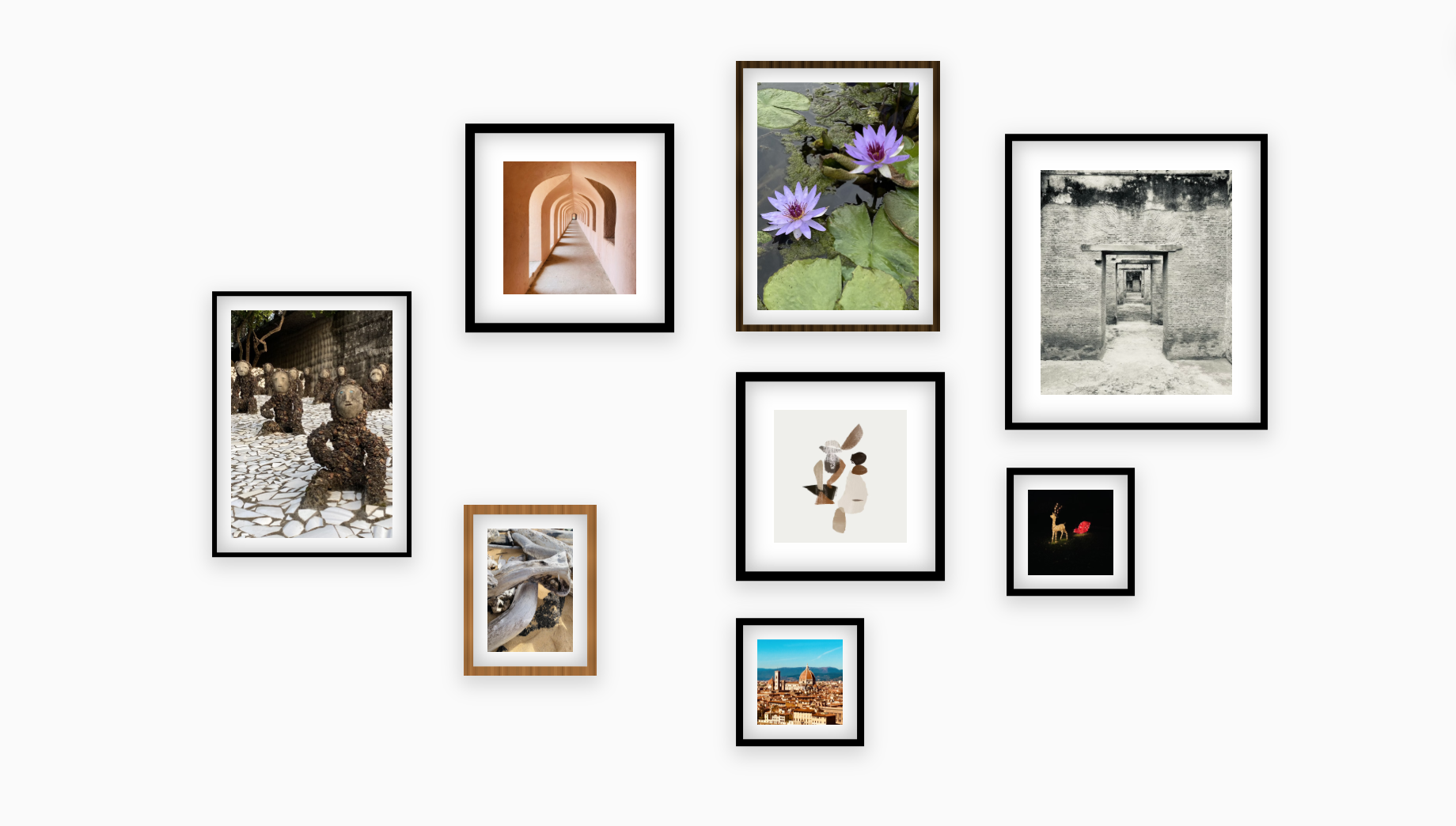
Interior Design Principles Made Easy
Most online tools let you place images anywhere. Suprtiles guides you through layouts that feel deliberate, balanced, and stylish.
Rule 1
Balance Over Symmetry
Great walls avoid rigid grids.
Spacing guides and visual-weight cues help you keep an organic flow without guesswork.
Rule 2
Start With an Anchor
Place a larger hero frame in the middle.
Templates show anchor-based layouts so every piece orbits a focal point.
Rule 3
Consistent Spacing
2–4 inches between frames looks intentional.
Auto-align keeps spacing even while you experiment with different compositions.
Rule 4
Vary Sizes & Orientations
Mix vertical and horizontal pieces.
Resize and rotate freely to avoid flat, repetitive arrangements.
Templates for Instant Inspiration
Choose a layout, customize every frame, and swap photos in seconds.
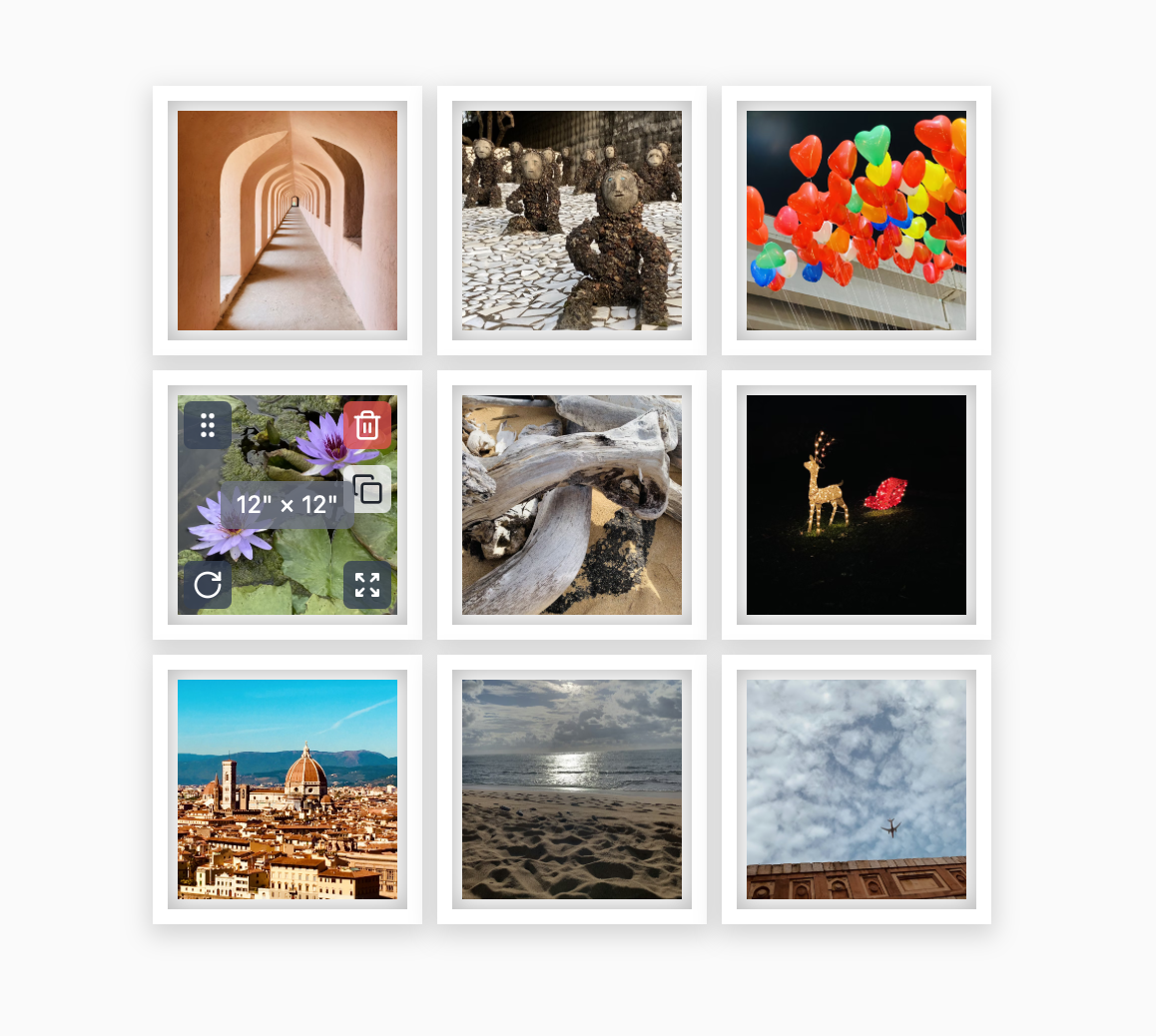
Grid Templates
Fully editable templates.
- 3×3 modern grid
- 4×2 horizontal grid
- 2×2 minimalist square set
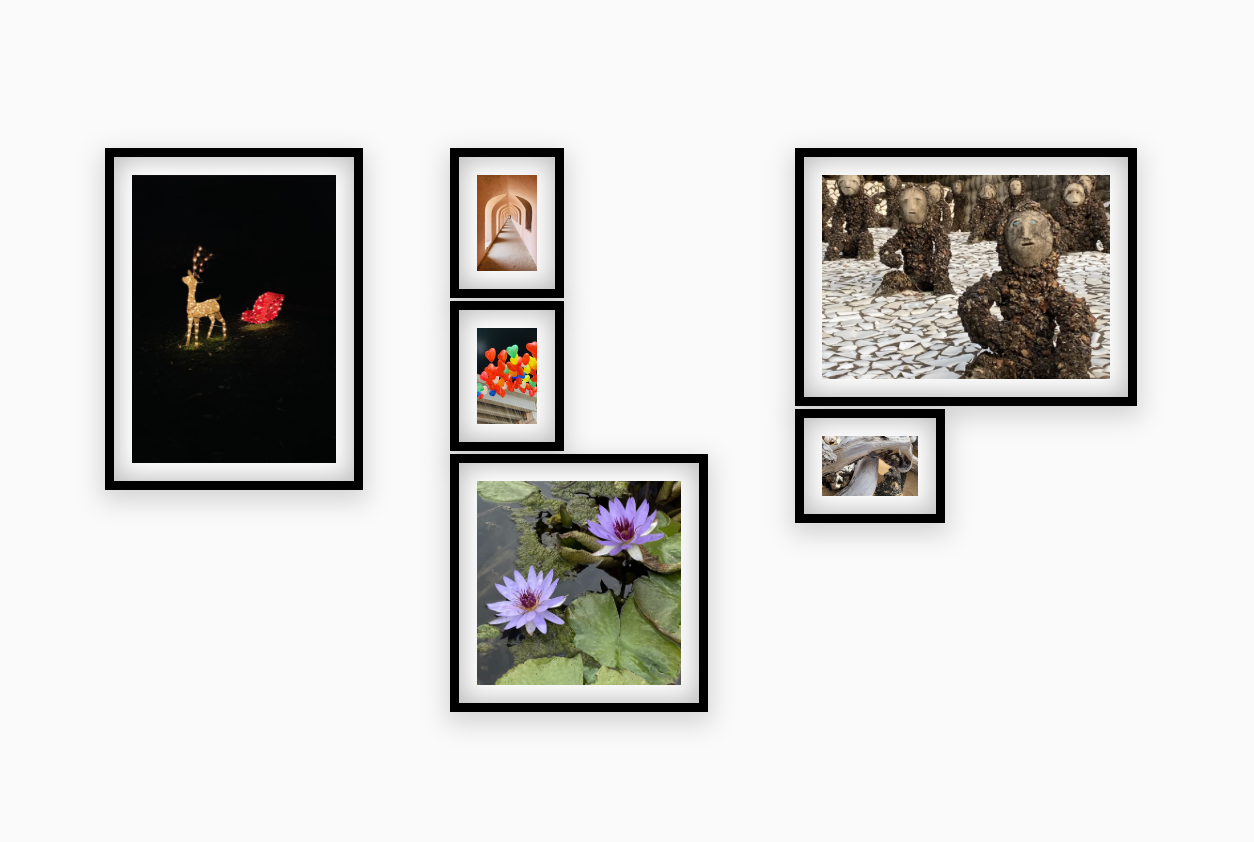
Gallery Wall Templates
Fully editable templates.
- Organic cluster
- Center-anchored composition
- Mixed frames with staggered edges
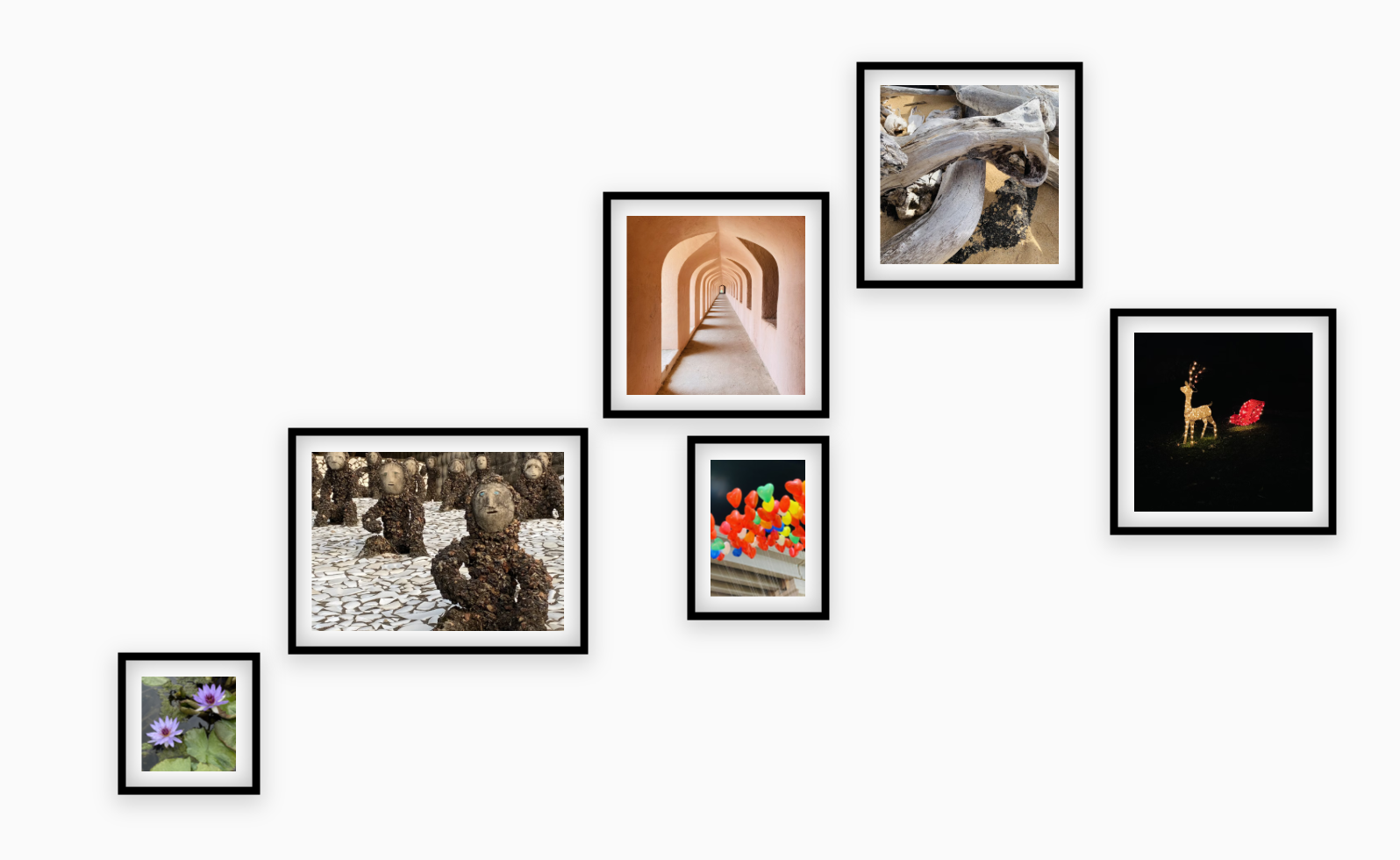
Staircase & Linear Layouts
Fully editable templates.
- Staircase ascending layout
- Linear row arrangements
- Vertical column displays
Preview in Realistic Settings
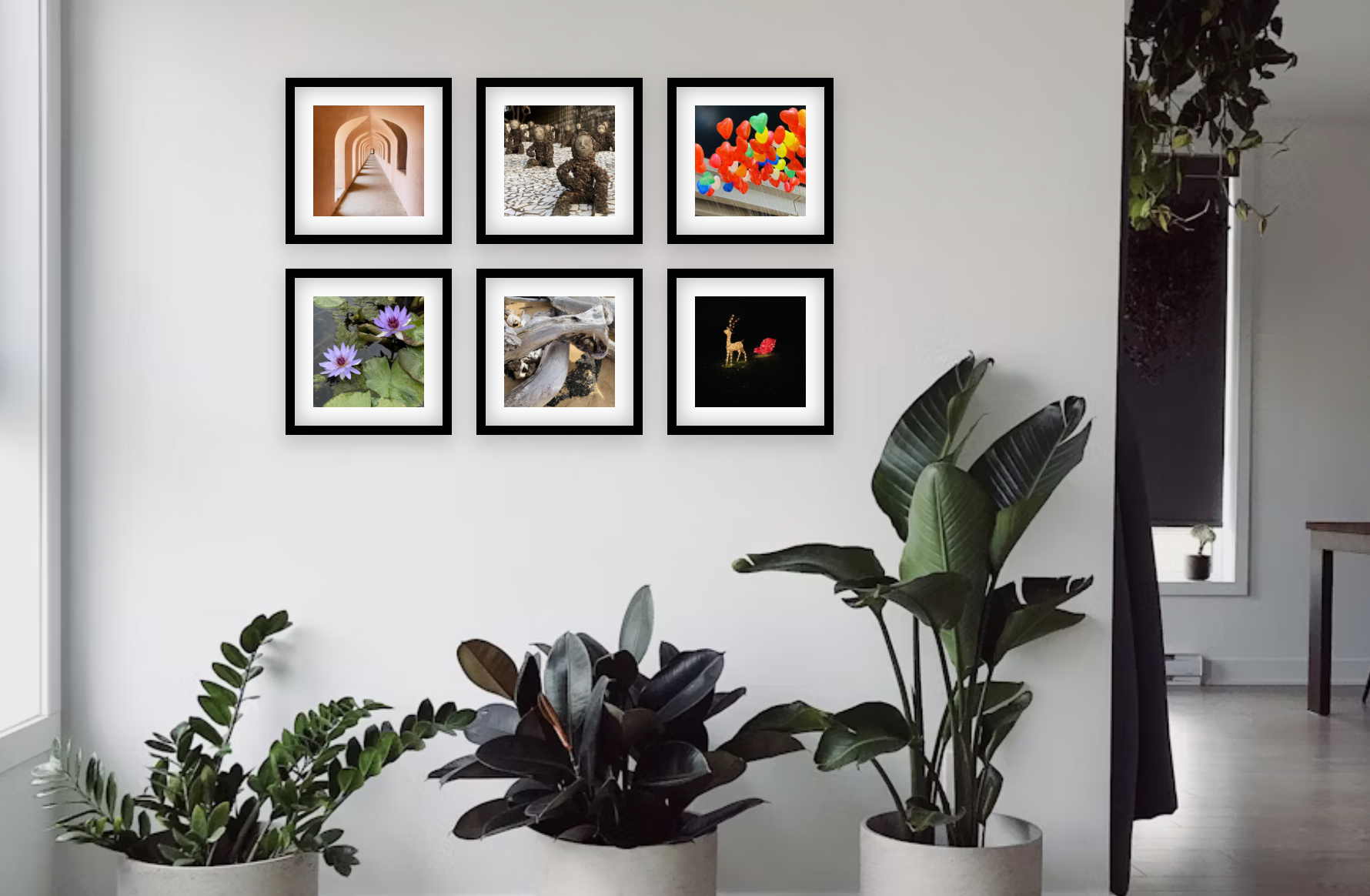
Drop your layout onto real walls, adjust light, and see how frames react before you hang anything.
- Upload your own room photo
- Adjust room brightness and tint
- Visualize frame colors and matting
Design FAQs
Practical tips if you are new to styling gallery walls.
How do I make a layout feel cohesive?
Pick one consistent element like frame color, matting, or spacing and repeat it across the wall.
How close should frames be?
2–4 inches works on most walls — close enough to feel connected, but not crowded.
Should I align edges?
Yes. Keep at least one repeating edge or axis so the layout reads as a single unit.
How high should I hang the wall?
Aim for eye level — the center of the overall arrangement should land around 57–60 inches from the floor.
Can I add my own photos to the layout?
Yes. Upload any photo and it fills the frame on the canvas. You can swap photos per frame to preview exactly how your prints will look before ordering anything.
Does Suprtiles work on mobile?
Yes. Suprtiles is touch-optimized — pinch to zoom and tap to select frames. Desktop gives more screen space, but the full planner runs on any modern smartphone or tablet.
What can I export from Suprtiles?
You can export a snapshot of your layout as an image — useful for sharing with a partner, sending to a print shop, or keeping as a reference guide during installation.
How do I know if my frames will fit the wall?
Enter your wall's exact width and height when you start. Suprtiles scales everything to real inches, so if the frames fit on the canvas, they fit on the wall.
Start Designing Now
Try different arrangements in minutes — no downloads required. Pick a template, drag frames, preview on your wall, and share a polished plan.
Open Suprtiles Designer