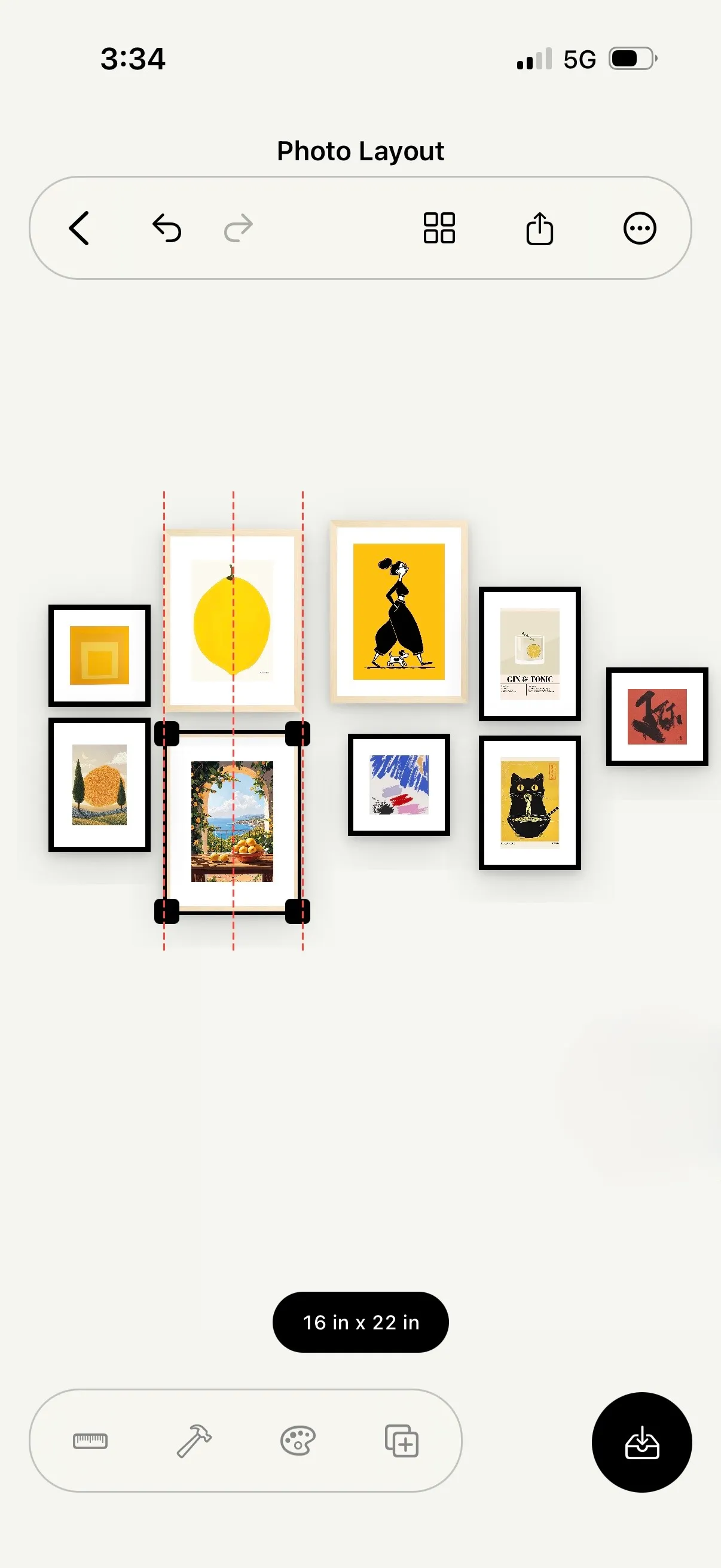
Canvas
Try every version before you commit to one.
Move, resize, and rotate frames with alignment guides and live dimensions. Get it right before anything reaches the wall.

Suprtiles is now on the App Store. Plan your gallery wall, preview it in your room, and take the guide with you.
iPhone · iOS 17 or later · iPad support coming soon
Make the decisions before the holes are permanent.
Test proportions, spacing, and placement while changes are easy.
Move, resize, and rotate frames with alignment guides and live dimensions. Get it right before anything reaches the wall.
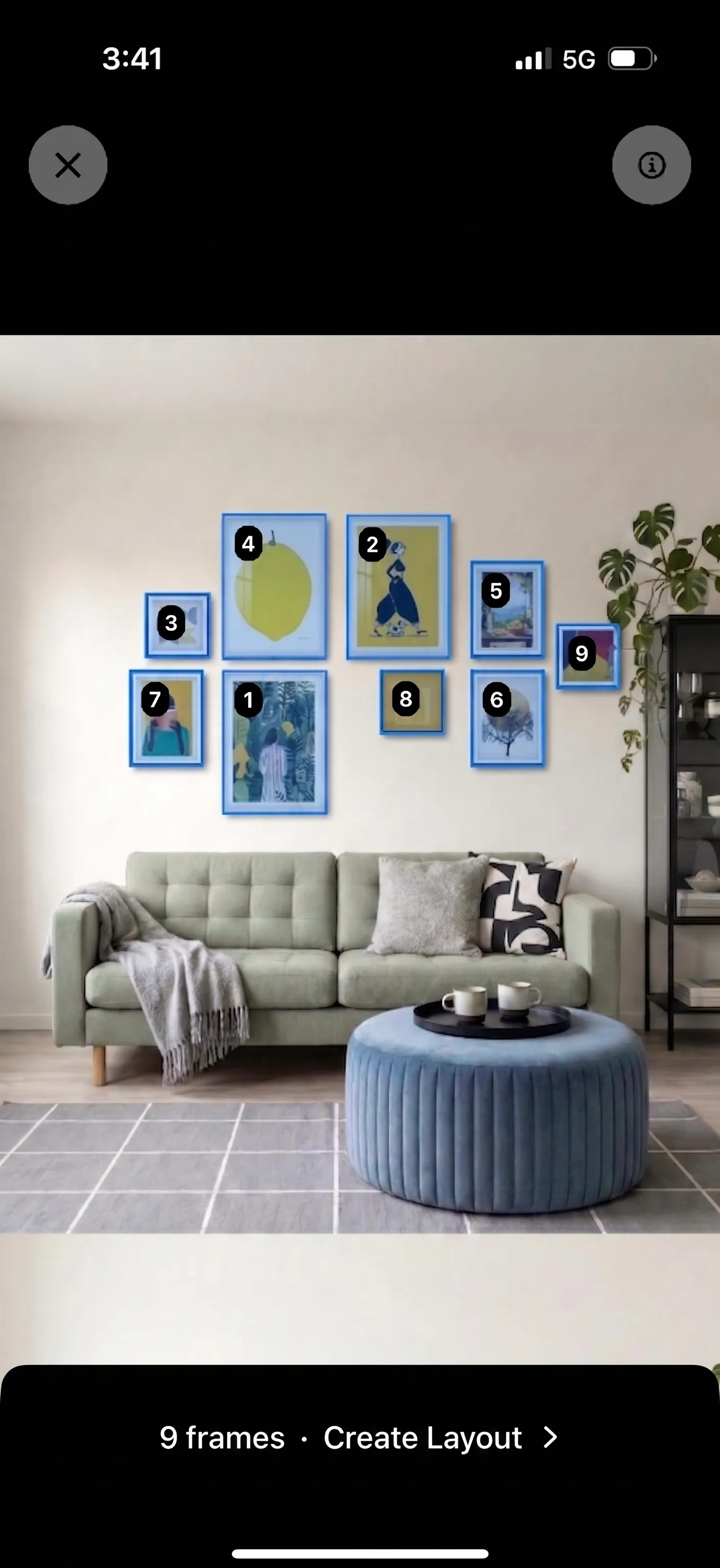
Photograph a gallery wall you love. Review the detected frames, make it editable, then adapt it to your wall and photos.
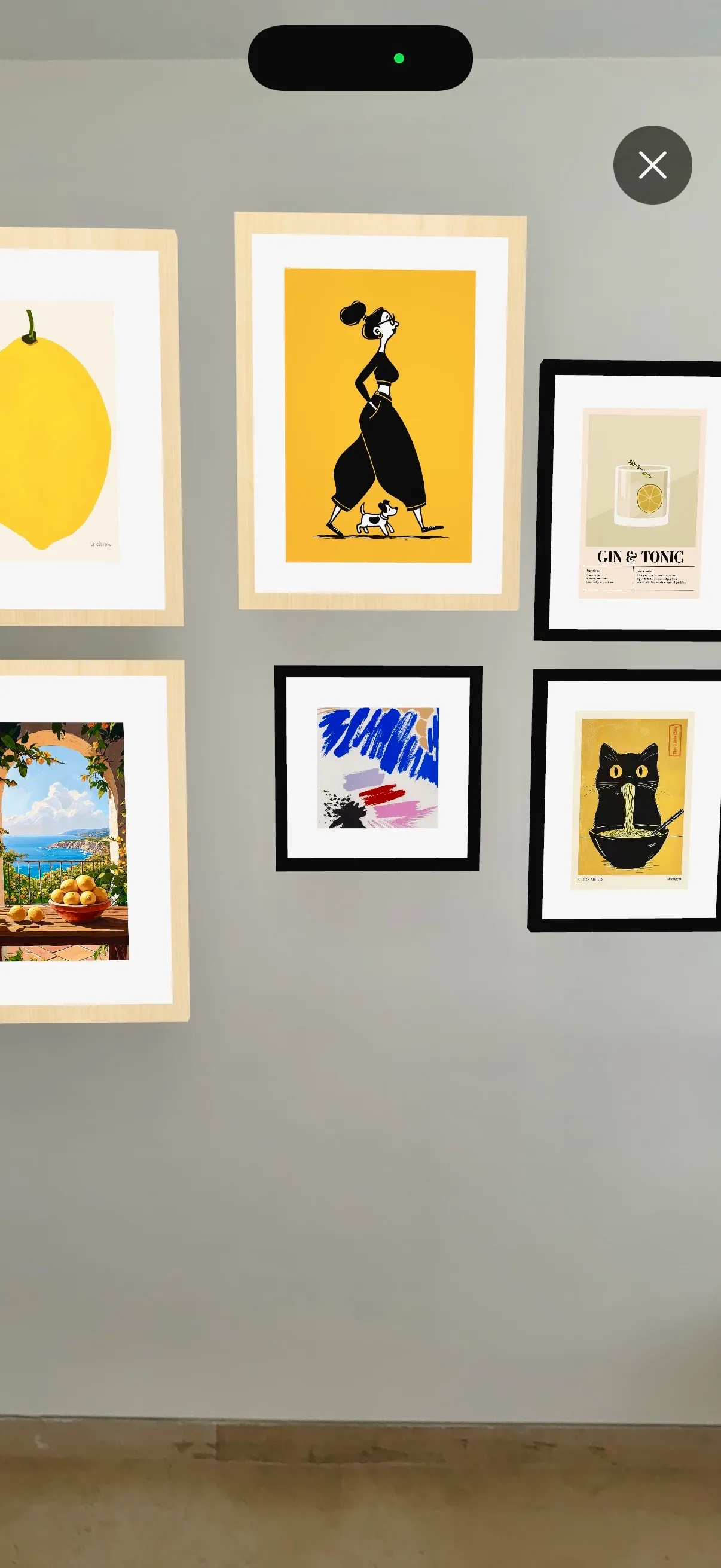
Place it on your wall. Move, resize, and rotate frames in the room, then save the update to your project.
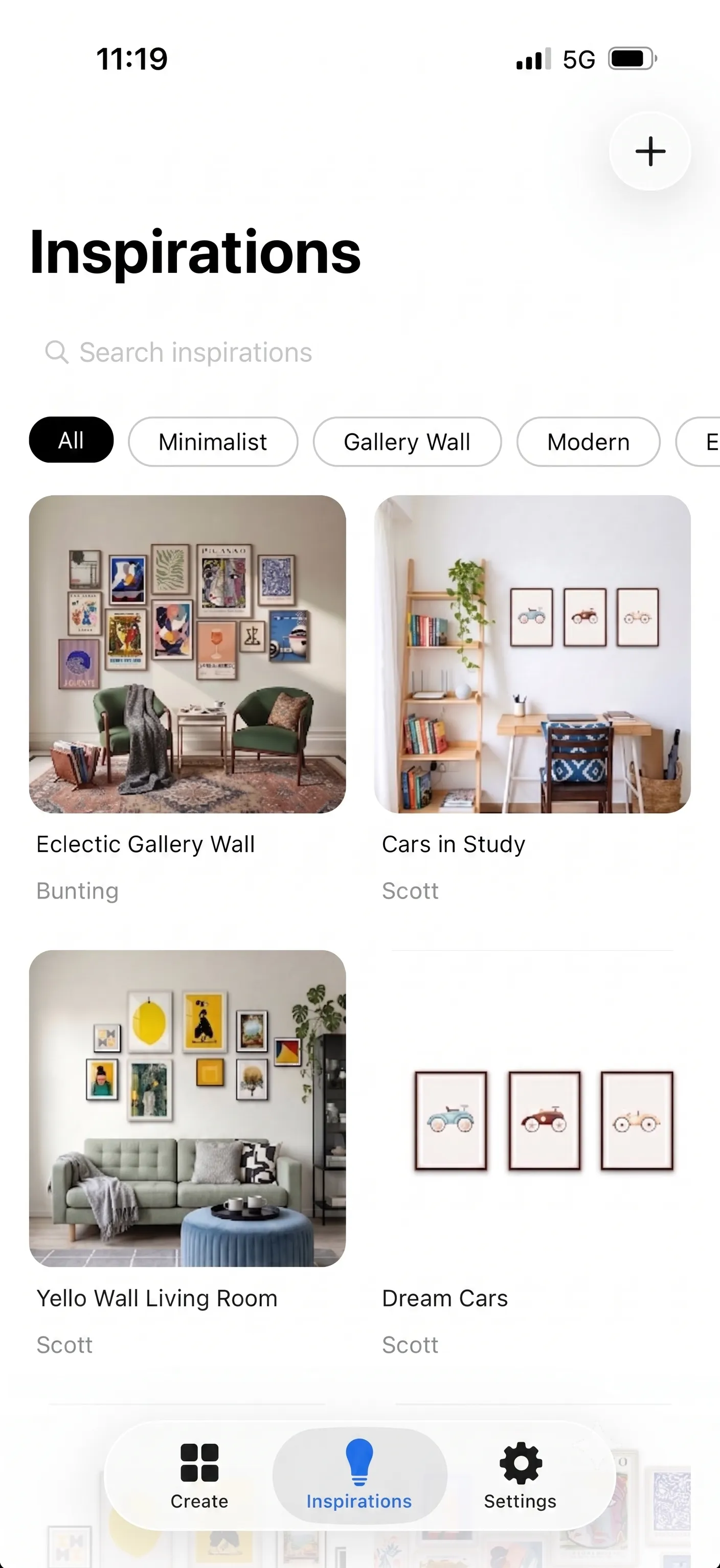
Browse layouts when you need a starting point. Make one editable, then tailor it to your wall and photos.
Take frame sizes and a shopping list to the wall. Pro adds verified nail or hardware measurements.
Try the layout in the room without juggling notes or measurements.
Keep ideas private until you are ready to share them.
Enable Cloud Storage to sync your projects and keep working on another device with the same Suprtiles account. Every user gets 250 MB of sync storage for free.
Save a layout image, room preview, or mockup when you are ready to share.
Free forever, or pay once for lifetime Pro. No subscriptions.
$0
Free forever
$19.99
One payment · Lifetime access
Buy 10 or 30 more AI images separately in the app. Pack prices are shown before purchase. Purchased images do not expire while your account exists.
$19.99 is the US App Store price. Your local price may vary and is shown in the app before purchase.

Download free. Upgrade to Pro in the app.
Purchase and restore helpGet Suprtiles on the App Store. Plan your wall, check the fit, and take the guide with you. Free to download, with optional Pro and AI image purchases.
Available on iPhone. iPad support is coming soon. Sync your projects to continue on another device with the same account.